# How to Verify Your Account

<table data-view="cards"><thead><tr><th align="center"></th><th data-hidden data-card-target data-type="content-ref"></th></tr></thead><tbody><tr><td align="center"><strong>Sign Up</strong><img src="/files/HKeMVijUbdu9O4WGIcqk" alt="Registration in ACR Poker" data-size="line"></td><td><a href="https://go.wpnaffiliates.com/visit/?bta=236582&#x26;brand=americascardroom">https://go.wpnaffiliates.com/visit/?bta=236582&#x26;brand=americascardroom</a></td></tr><tr><td align="center"><strong>Download</strong><img src="/files/sbM7LffEbWj9mqt1yiHZ" alt="Download and Play ACR Poker" data-size="line"></td><td><a href="https://go.wpnaffiliates.com/visit/?bta=236582&#x26;brand=americascardroom">https://go.wpnaffiliates.com/visit/?bta=236582&#x26;brand=americascardroom</a></td></tr><tr><td align="center"><strong>Install Guide</strong><img src="/files/GYxqG3DRADkCeUAICxG8" alt="How to Install ACR Poker" data-size="line"></td><td><a href="/pages/ev5Jv8SCZOaphvR5TPkG">/pages/ev5Jv8SCZOaphvR5TPkG</a></td></tr></tbody></table>

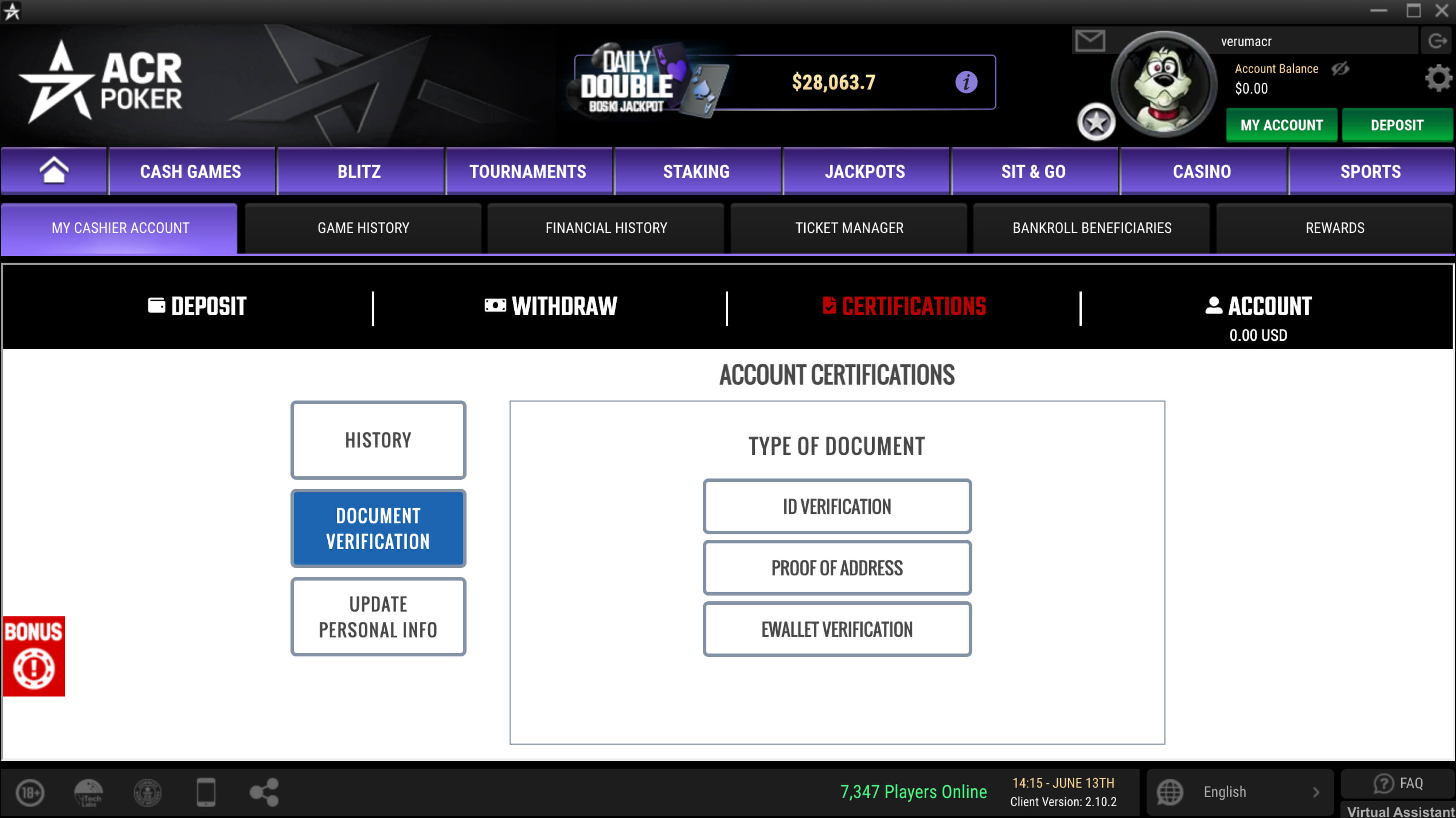
To withdraw funds, account verification is required. You can submit document scans directly in the ACR Poker (Americas Cardroom) client, under **«Certifications › Document Verification»**. Accepted forms of identity verification include government-issued IDs, utility bills dated within the last three months, or bank statements.

<figure><img src="/files/Q23h2ySyKK6SrRDpIU2P" alt="ACR Poker (Americas Cardroom) verification process with document requirements and submit button"><figcaption></figcaption></figure>


---

# Agent Instructions: Querying This Documentation

If you need additional information that is not directly available in this page, you can query the documentation dynamically by asking a question.

Perform an HTTP GET request on the current page URL with the `ask` query parameter:

```
GET https://help.gopokerplay.com/faq/how-to-verify-an-account.md?ask=<question>
```

The question should be specific, self-contained, and written in natural language.
The response will contain a direct answer to the question and relevant excerpts and sources from the documentation.

Use this mechanism when the answer is not explicitly present in the current page, you need clarification or additional context, or you want to retrieve related documentation sections.