# Comment Changer la Langue de l'Interface

<table data-view="cards"><thead><tr><th align="center"></th><th data-hidden data-card-target data-type="content-ref"></th></tr></thead><tbody><tr><td align="center"><strong>Inscrivez-vous</strong><img src="/files/HKeMVijUbdu9O4WGIcqk" alt="Inscription à l&#x27;ACR Poker" data-size="line"></td><td><a href="https://go.wpnaffiliates.com/visit/?bta=236582&#x26;brand=americascardroom">https://go.wpnaffiliates.com/visit/?bta=236582&#x26;brand=americascardroom</a></td></tr><tr><td align="center"><strong>Téléchargez</strong><img src="/files/sbM7LffEbWj9mqt1yiHZ" alt="Télécharger et jouer à ACR Poker" data-size="line"></td><td><a href="https://go.wpnaffiliates.com/visit/?bta=236582&#x26;brand=americascardroom">https://go.wpnaffiliates.com/visit/?bta=236582&#x26;brand=americascardroom</a></td></tr><tr><td align="center"><strong>Guide d'Installation</strong><img src="/files/GYxqG3DRADkCeUAICxG8" alt="Comment installer ACR Poker" data-size="line"></td><td><a href="/pages/ev5Jv8SCZOaphvR5TPkG">/pages/ev5Jv8SCZOaphvR5TPkG</a></td></tr></tbody></table>

### Étape 1: Compte <a href="#account" id="account"></a>

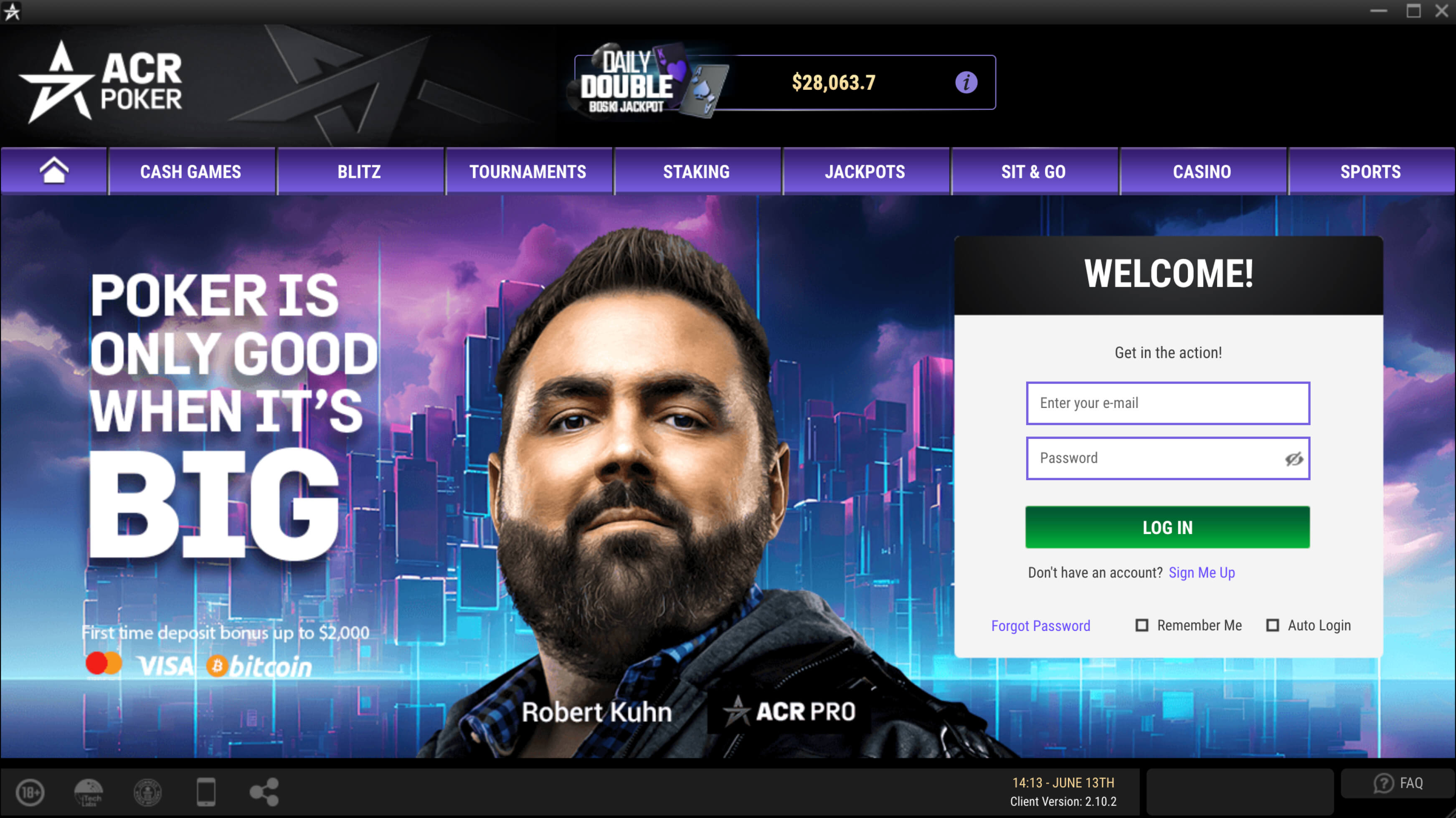
Ouvrez l'application ACR Poker et connectez-vous à votre compte.

<figure><img src="/files/xN99w5KPENKpKDYRTaEY" alt="Écran de connexion de l&#x27;application ACR Poker (Americas Cardroom) avec les champs de saisie de l&#x27;identifiant et du mot de passe"><figcaption></figcaption></figure>

### Étape 2: Sélection de la Langue <a href="#language-selection" id="language-selection"></a>

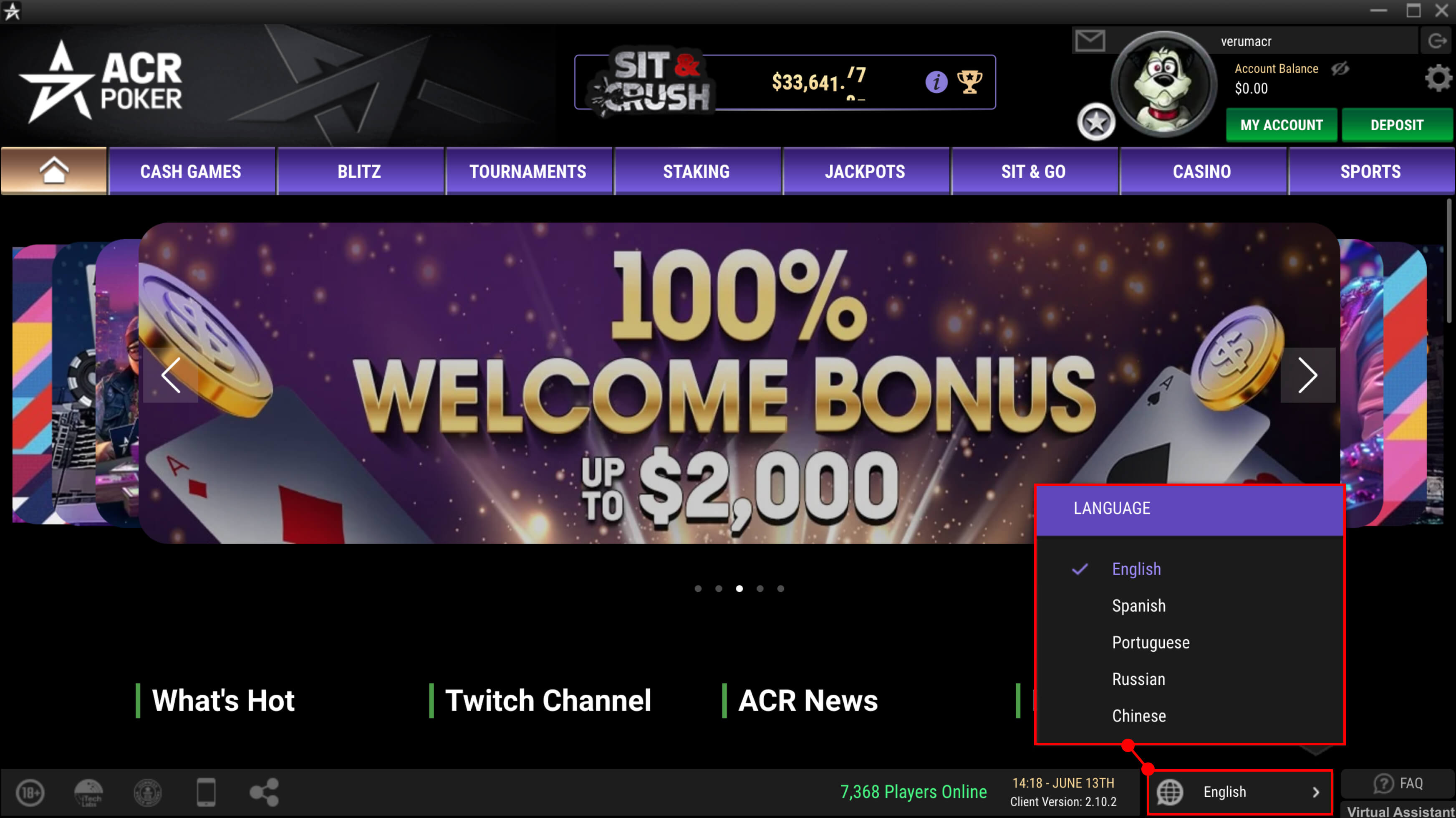
Cliquez sur le bouton de sélection de la langue en bas et sélectionnez la langue désirée.

<figure><img src="/files/KfQZnKlCmFuhv6ZbdXeA" alt="Écran de sélection de la langue de l&#x27;interface dans l&#x27;application ACR Poker (Americas Cardroom)"><figcaption></figcaption></figure>

### Étape 3: Terminé <a href="#done" id="done"></a>

La langue de l'interface changera instantanément pour l'option sélectionnée.


---

# Agent Instructions: Querying This Documentation

If you need additional information that is not directly available in this page, you can query the documentation dynamically by asking a question.

Perform an HTTP GET request on the current page URL with the `ask` query parameter:

```
GET https://help.gopokerplay.com/fr/faq/how-to-change-language.md?ask=<question>
```

The question should be specific, self-contained, and written in natural language.
The response will contain a direct answer to the question and relevant excerpts and sources from the documentation.

Use this mechanism when the answer is not explicitly present in the current page, you need clarification or additional context, or you want to retrieve related documentation sections.