# Comment Créer un Nouveau Compte

<table data-view="cards"><thead><tr><th align="center"></th><th data-hidden data-card-target data-type="content-ref"></th></tr></thead><tbody><tr><td align="center"><strong>Inscrivez-vous</strong><img src="/files/HKeMVijUbdu9O4WGIcqk" alt="Inscription à l&#x27;ACR Poker" data-size="line"></td><td><a href="https://go.wpnaffiliates.com/visit/?bta=236582&#x26;brand=americascardroom">https://go.wpnaffiliates.com/visit/?bta=236582&#x26;brand=americascardroom</a></td></tr><tr><td align="center"><strong>Téléchargez</strong><img src="/files/sbM7LffEbWj9mqt1yiHZ" alt="Télécharger et jouer à ACR Poker" data-size="line"></td><td><a href="https://go.wpnaffiliates.com/visit/?bta=236582&#x26;brand=americascardroom">https://go.wpnaffiliates.com/visit/?bta=236582&#x26;brand=americascardroom</a></td></tr><tr><td align="center"><strong>Guide d'Installation</strong><img src="/files/GYxqG3DRADkCeUAICxG8" alt="Comment installer ACR Poker" data-size="line"></td><td><a href="/pages/ev5Jv8SCZOaphvR5TPkG">/pages/ev5Jv8SCZOaphvR5TPkG</a></td></tr></tbody></table>

Si vous souhaitez commencer à jouer sur ACR Poker, l'une des plateformes de poker en ligne les plus populaires, vous devez créer un nouveau compte. Dans ce guide, nous expliquerons en détail comment s'inscrire sur Americas Cardroom et créer un compte.

### Étape 1: Inscription <a href="#step-1" id="step-1"></a>

Cliquez sur le bouton **«S'inscrire»** dans le menu de gauche ou sur **«Télécharger»** dans les [instructions](/fr/install.md).

### Étape 2: Email, Mot de passe et Bonus <a href="#step-2" id="step-2"></a>

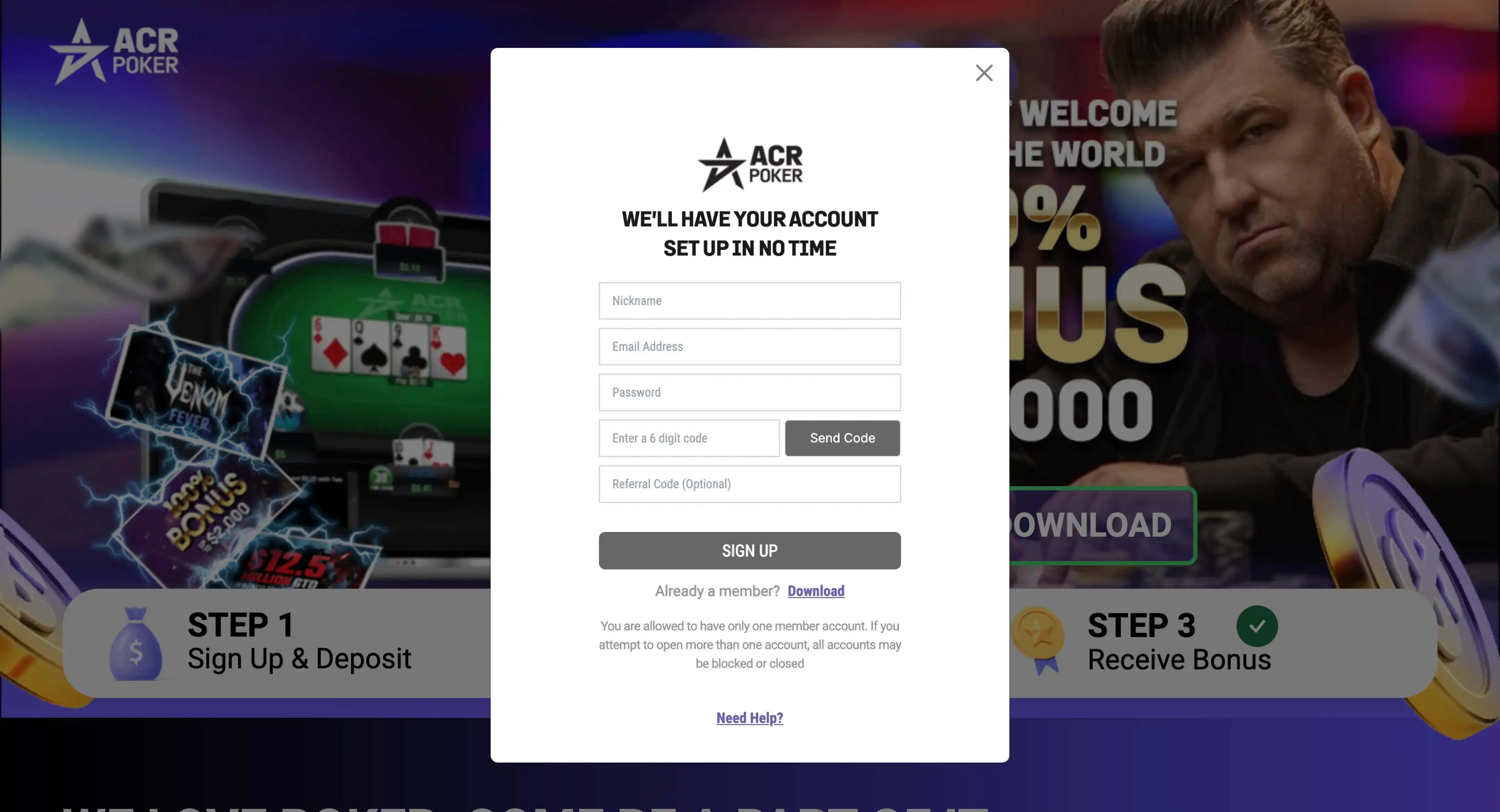
1. Créez un nouveau compte en cliquant sur le bouton **«S'INSCRIRE»**.
2. Remplissez les informations, vérifiez votre email et cliquez sur le bouton **«S'INSCRIRE»**.

<figure><img src="/files/w1VmHs6g06mGR6Gjuv9d" alt="Nouvel écran d&#x27;enregistrement des utilisateurs dans l&#x27;application ACR Poker (Americas Cardroom)"><figcaption></figcaption></figure>

{% hint style="info" %}
Dans le champ *Code de Parrainage*, entrez le code bonus [acrpok](/fr/promotions/welcome-bonus.md).
{% endhint %}

### Étape 3: Installation <a href="#step-3" id="step-3"></a>

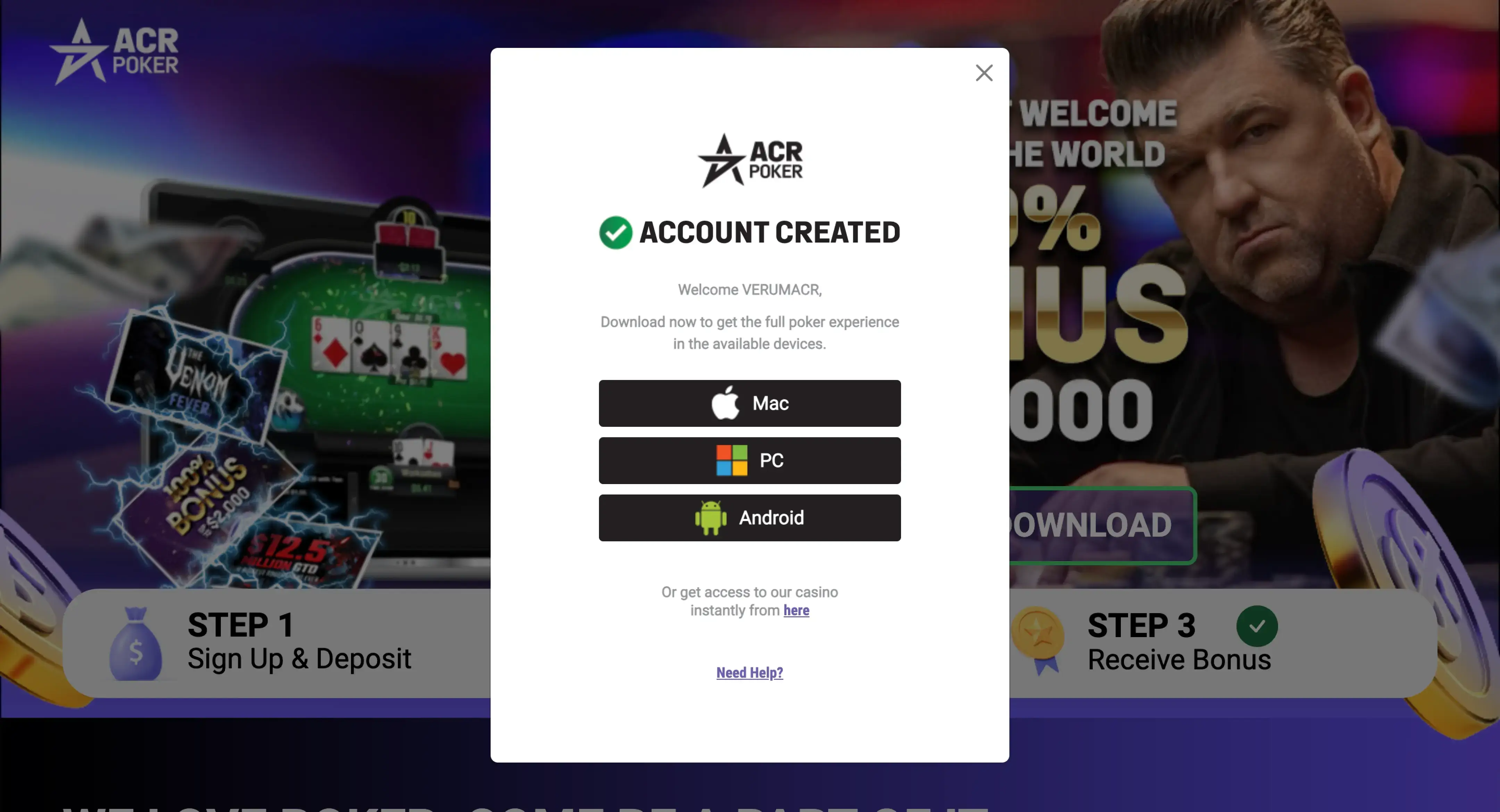
Après une inscription réussie, téléchargez, installez et ouvrez l'application ACR Poker.

<figure><img src="/files/I9akJvCPjSwyaHGsjc2q" alt="Écran de téléchargement du client ACR Poker (Americas Cardroom) avec bouton Télécharger pour Windows, macOS et Android"><figcaption></figcaption></figure>

### Étape 4 : Connexion <a href="#step-4" id="step-4"></a>

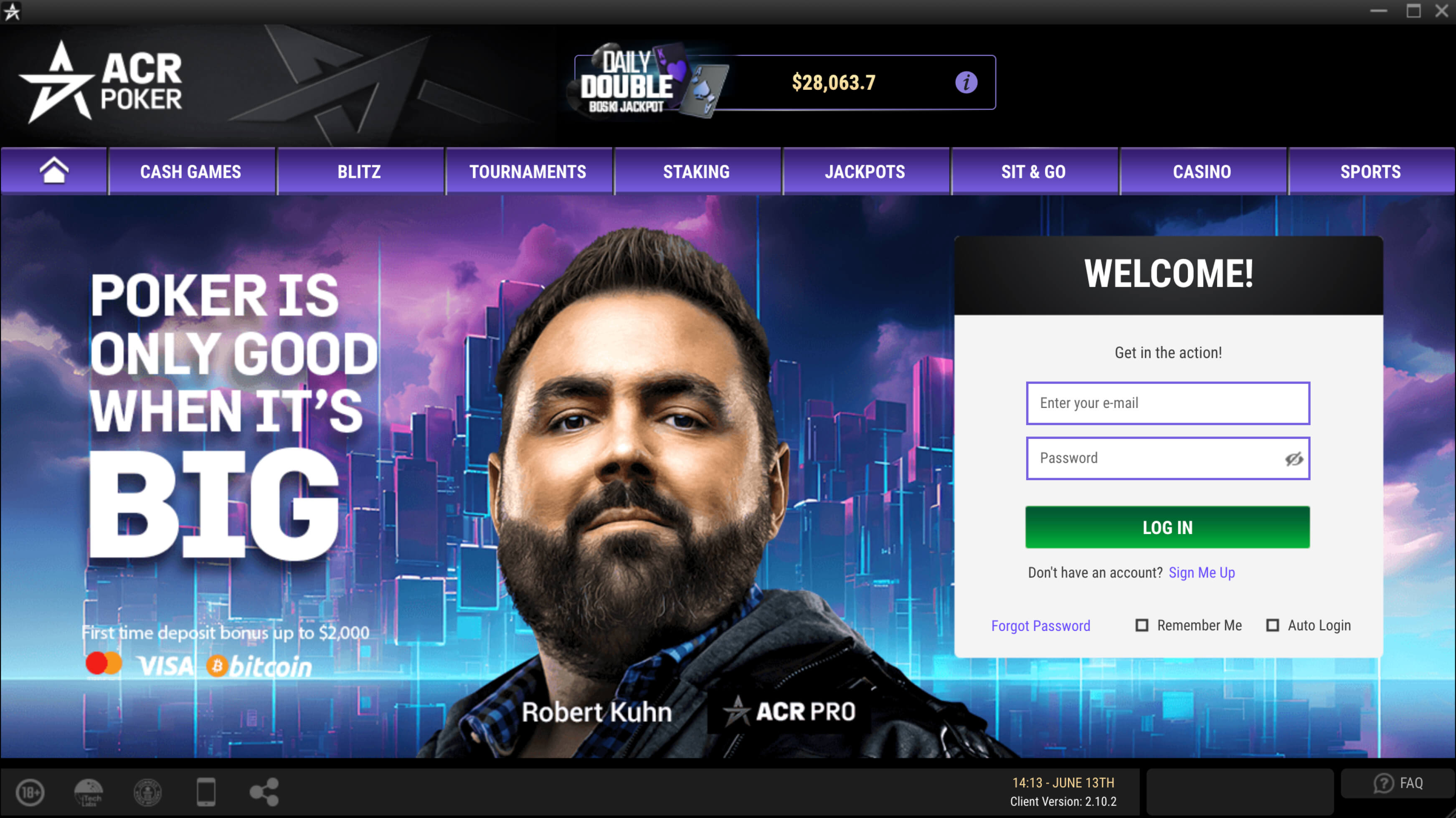
Connectez-vous à votre compte en utilisant votre email et mot de passe.

<figure><img src="/files/xN99w5KPENKpKDYRTaEY" alt="Interface de connexion ACR Poker (Americas Cardroom) avec champs email et mot de passe"><figcaption></figcaption></figure>

### Étape 5 : Informations Personnelles <a href="#step-5" id="step-5"></a>

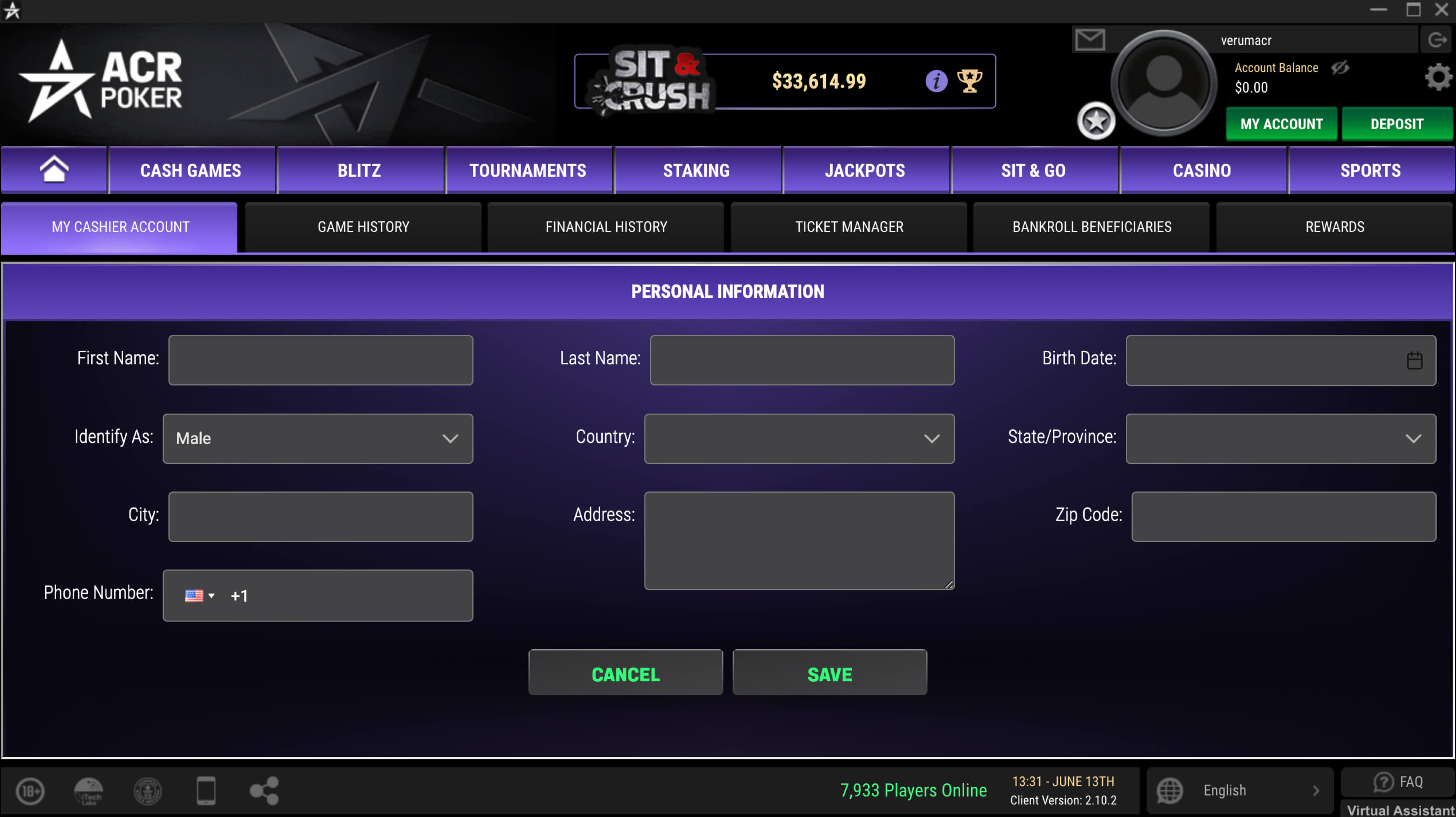
Remplissez vos informations personnelles pour utiliser la caisse pour déposer et retirer des fonds.

<figure><img src="/files/LvLSlaVoppvXbjl91oCu" alt="Informations personnelles sur ACR Poker"><figcaption></figcaption></figure>

### Bonne chance et profitez du jeu! <a href="#good-luck" id="good-luck"></a>

Maintenant, vous savez comment créer un nouveau compte sur ACR Poker. En suivant ces étapes simples, vous pouvez vous inscrire rapidement et commencer à jouer au poker sur l'une des meilleures plateformes en ligne.


---

# Agent Instructions: Querying This Documentation

If you need additional information that is not directly available in this page, you can query the documentation dynamically by asking a question.

Perform an HTTP GET request on the current page URL with the `ask` query parameter:

```
GET https://help.gopokerplay.com/fr/faq/how-to-create-account.md?ask=<question>
```

The question should be specific, self-contained, and written in natural language.
The response will contain a direct answer to the question and relevant excerpts and sources from the documentation.

Use this mechanism when the answer is not explicitly present in the current page, you need clarification or additional context, or you want to retrieve related documentation sections.