# Como Criar uma Nova Conta

<table data-view="cards"><thead><tr><th align="center"></th><th data-hidden data-card-target data-type="content-ref"></th></tr></thead><tbody><tr><td align="center"><strong>Cadastre-se</strong><img src="/files/HKeMVijUbdu9O4WGIcqk" alt="Registo no ACR Poker" data-size="line"></td><td><a href="https://go.wpnaffiliates.com/visit/?bta=236582&#x26;brand=americascardroom">https://go.wpnaffiliates.com/visit/?bta=236582&#x26;brand=americascardroom</a></td></tr><tr><td align="center"><strong>Baixar</strong><img src="/files/sbM7LffEbWj9mqt1yiHZ" alt="Descarregar e jogar ACR Poker" data-size="line"></td><td><a href="https://go.wpnaffiliates.com/visit/?bta=236582&#x26;brand=americascardroom">https://go.wpnaffiliates.com/visit/?bta=236582&#x26;brand=americascardroom</a></td></tr><tr><td align="center"><strong>Guia de Instalação</strong><img src="/files/GYxqG3DRADkCeUAICxG8" alt="Como instalar o ACR Poker" data-size="line"></td><td><a href="/pages/ev5Jv8SCZOaphvR5TPkG">/pages/ev5Jv8SCZOaphvR5TPkG</a></td></tr></tbody></table>

Se você quer começar a jogar no ACR Poker, uma das plataformas de poker online mais populares, você precisa criar uma nova conta. Neste guia, explicaremos em detalhes como se registrar no Americas Cardroom e criar uma conta.

### Etapa 1: Registro <a href="#step-1" id="step-1"></a>

Clique no botão **«Registrar»** no menu à esquerda ou em **«Baixar»** nas [instruções](/pt/install.md).

### Etapa 2: Email, Senha e Bônus <a href="#step-2" id="step-2"></a>

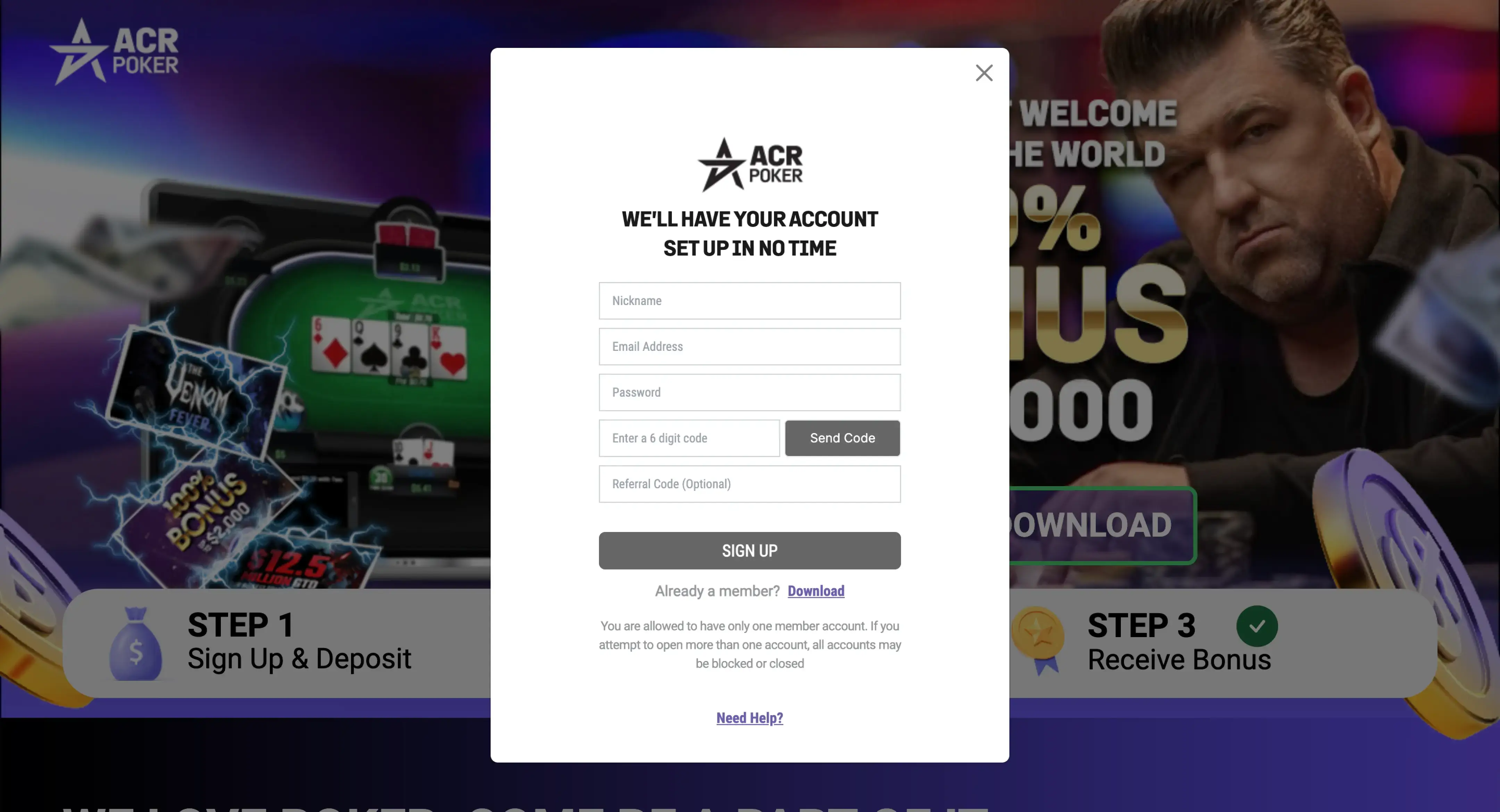
1. Crie uma nova conta clicando no botão **«CADASTRE-SE»**.
2. Preencha as informações, verifique seu email e clique no botão **«CADASTRE-SE»**.

<figure><img src="/files/w1VmHs6g06mGR6Gjuv9d" alt="Novo ecrã de registo de utilizador na aplicação ACR Poker (Americas Cardroom)"><figcaption></figcaption></figure>

{% hint style="info" %}
No campo *Código de Referência*, insira o código de bônus [acrpok](/pt/promotions/welcome-bonus.md).
{% endhint %}

### Etapa 3: Instalação <a href="#step-3" id="step-3"></a>

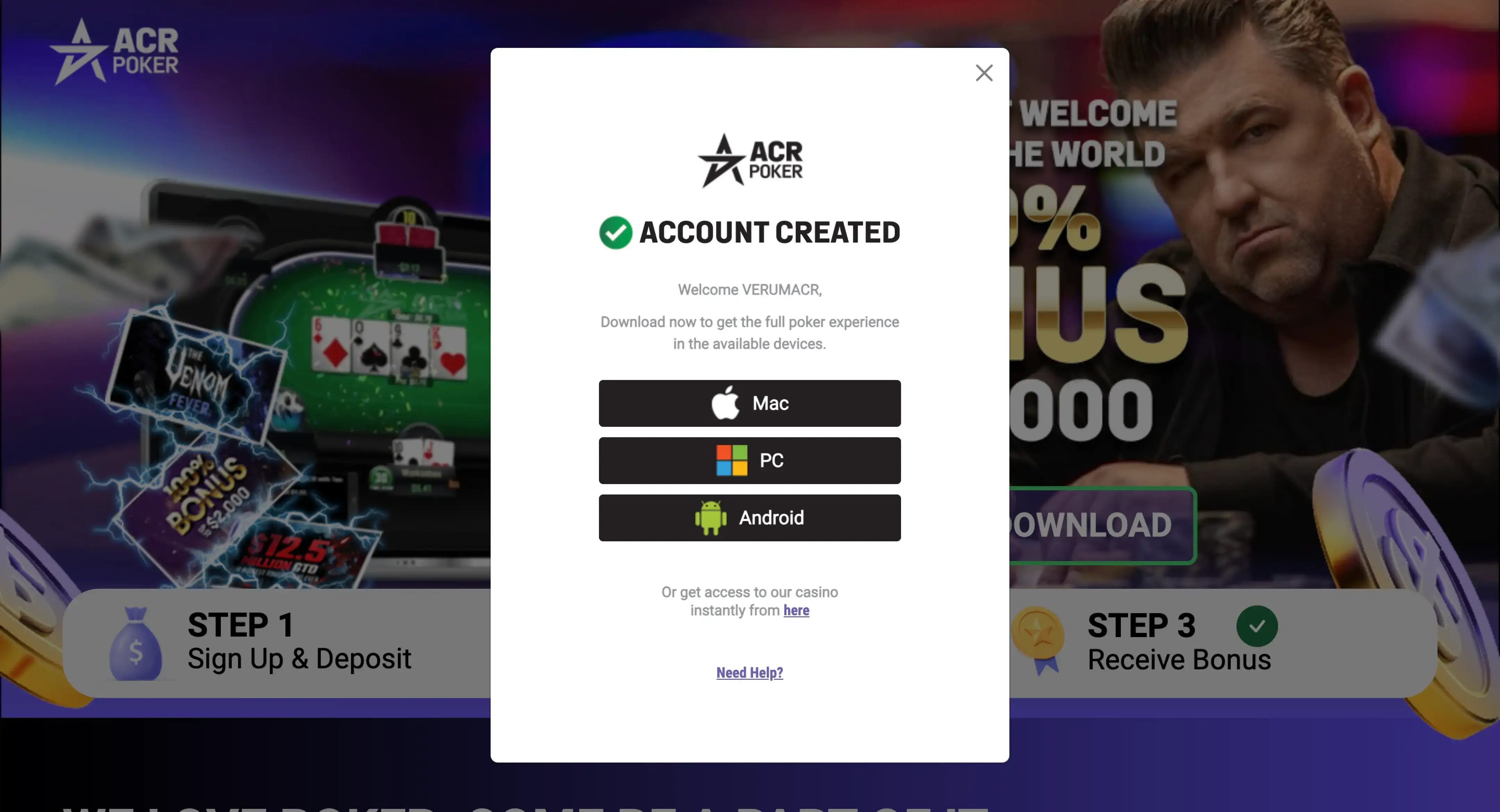
Após o registro bem-sucedido, baixe, instale e abra o aplicativo ACR Poker.

<figure><img src="/files/I9akJvCPjSwyaHGsjc2q" alt="Ecrã de transferência do cliente ACR Poker (Americas Cardroom) com botão de transferência para Windows, macOS e Android"><figcaption></figcaption></figure>

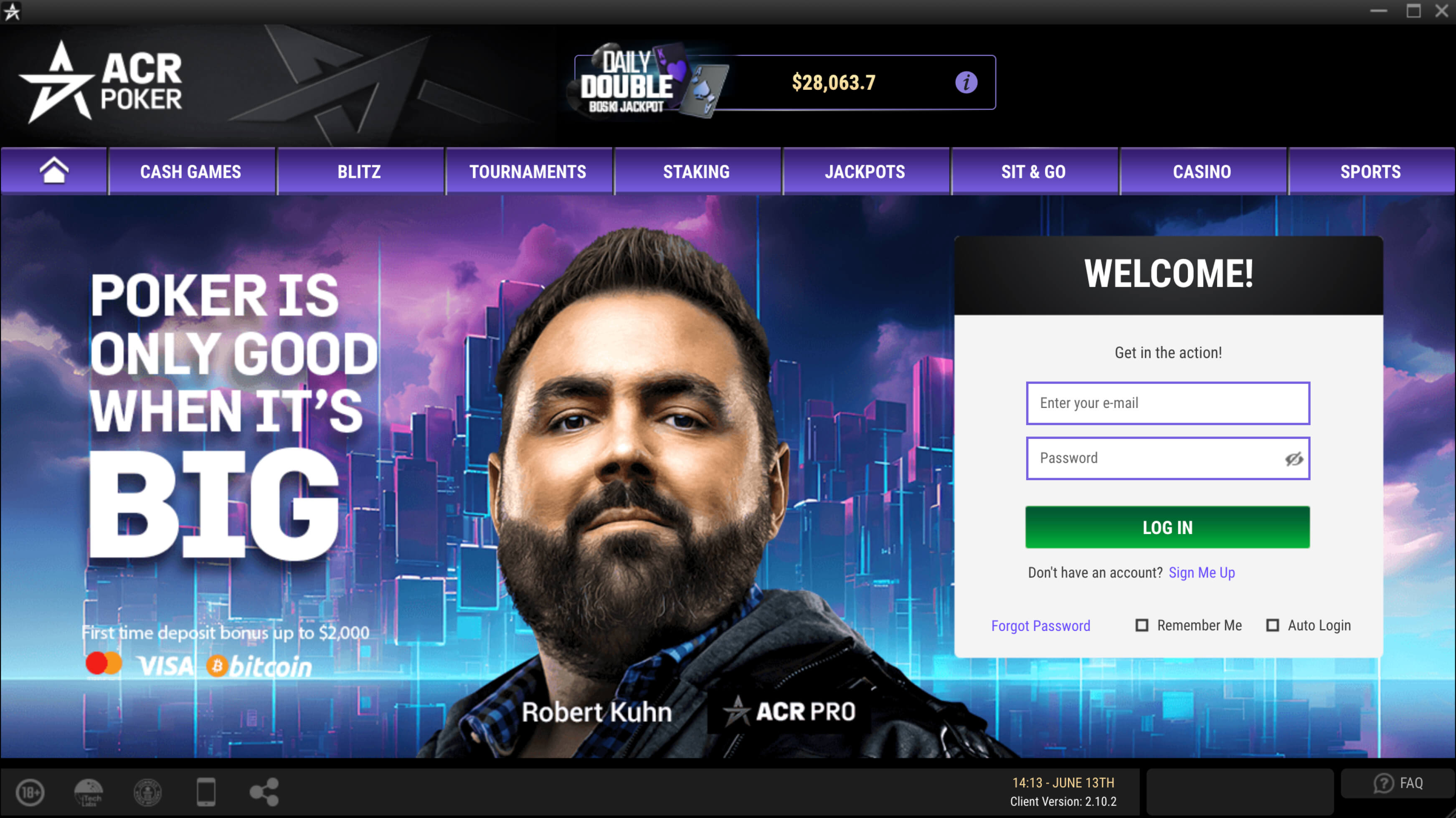
### Etapa 4: Login <a href="#step-4" id="step-4"></a>

Faça login em sua conta usando seu email e senha.

<figure><img src="/files/xN99w5KPENKpKDYRTaEY" alt="Interface de início de sessão do ACR Poker (Americas Cardroom) com campos de e-mail e palavra-passe"><figcaption></figcaption></figure>

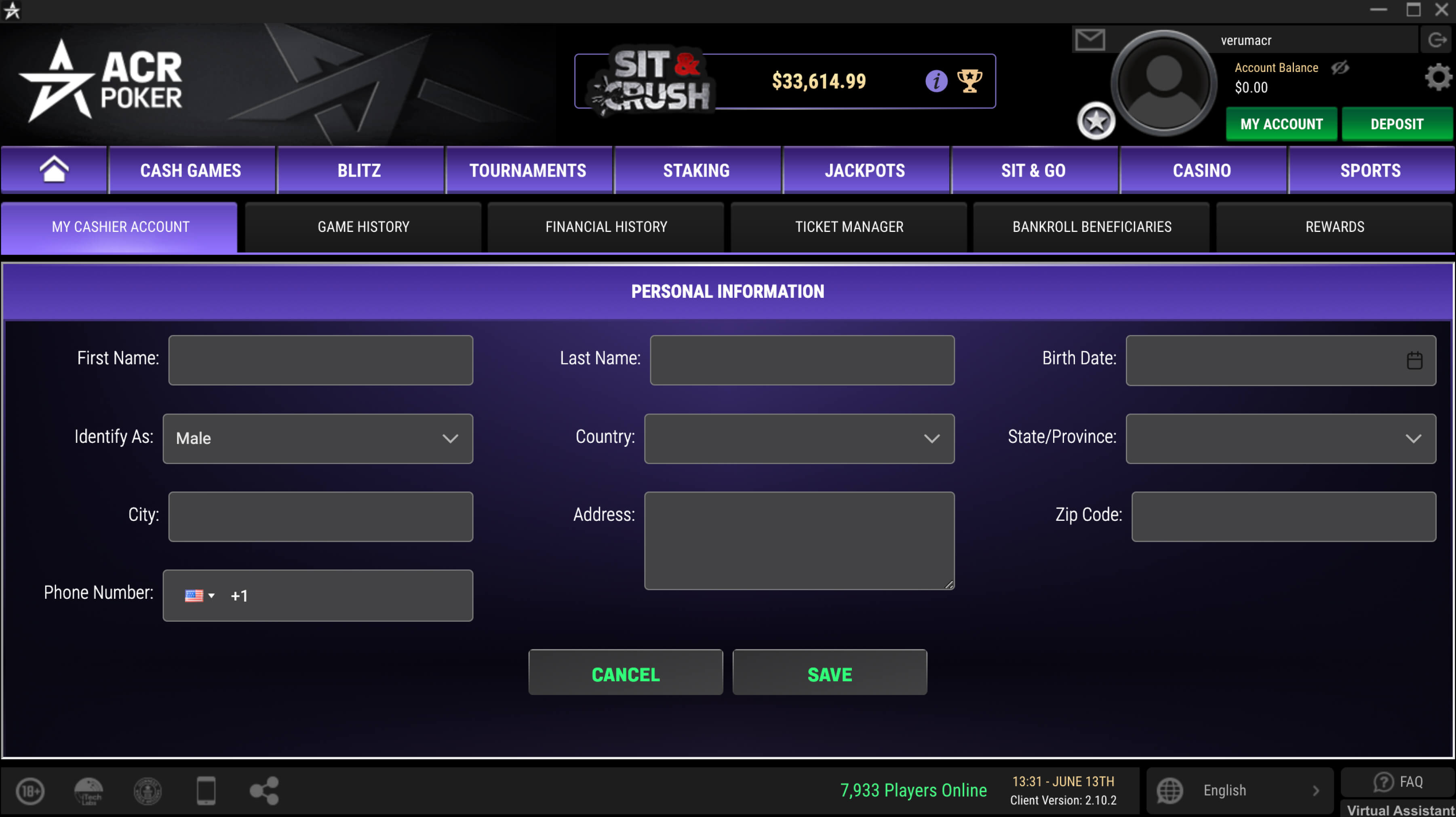
### Etapa 5: Informações Pessoais <a href="#step-5" id="step-5"></a>

Preencha suas informações pessoais para usar o caixa para depósitos e retiradas de fundos.

<figure><img src="/files/LvLSlaVoppvXbjl91oCu" alt="Informações pessoais do ACR Poker"><figcaption></figcaption></figure>

### Boa sorte e aproveite o jogo! <a href="#good-luck" id="good-luck"></a>

Agora você sabe como criar uma nova conta no ACR Poker. Seguindo esses passos simples, você pode se registrar rapidamente e começar a jogar poker em uma das melhores plataformas online.


---

# Agent Instructions: Querying This Documentation

If you need additional information that is not directly available in this page, you can query the documentation dynamically by asking a question.

Perform an HTTP GET request on the current page URL with the `ask` query parameter:

```
GET https://help.gopokerplay.com/pt/faq/how-to-create-account.md?ask=<question>
```

The question should be specific, self-contained, and written in natural language.
The response will contain a direct answer to the question and relevant excerpts and sources from the documentation.

Use this mechanism when the answer is not explicitly present in the current page, you need clarification or additional context, or you want to retrieve related documentation sections.